Mastering the PSD Product Images Template - 6 Patterns for Creative Flexibility
The PSD Product Images Template - 6 Patterns is a powerful tool for designers and creators who need to produce high-quality, customizable product images quickly and efficiently. With its layered structure and smart object capabilities, this template offers a versatile foundation that can be adapted to suit a wide range of applications, from e-commerce product photography to branding materials. Whether you're a professional designer or a hobbyist looking to elevate your visual content, understanding how to leverage this template effectively can significantly enhance your workflow.
Understanding the Structure and Functionality
The PSD Product Images Template - 6 Patterns comes with three distinct .PSD files, each designed to work seamlessly with Adobe Photoshop CS6 and higher versions. These files are built with a resolution of 3000x2000 pixels at 300 DPI, ensuring that the final output maintains high quality suitable for both digital and print media. The inclusion of smart object layers allows users to easily replace or modify patterns without affecting the rest of the design, making it an intuitive and user-friendly solution.
At the heart of this template is the Place your pattern here smart object layer. This layer acts as a placeholder where users can drag and drop their own custom patterns. Once the desired pattern is added, the design can be flattened and saved as a .jpg file, ready for upload to online platforms or use in marketing campaigns. This flexibility makes the template ideal for those who want to maintain consistency across multiple product images while allowing for personalization.
Key Features and Advantages
- High Resolution and Compatibility: The template supports 300 DPI resolution, which is essential for producing sharp, clear images that look great on all devices and screen sizes. Its compatibility with Photoshop CS6 and later ensures that it remains accessible to a broad range of users.
- Smart Object Layers: By using smart objects, users can edit patterns independently without compromising the integrity of the overall design. This feature is particularly useful for creating consistent branding elements across different products.
- Customizable Elements: The template allows for easy customization of colors, fonts, and text, giving users the ability to tailor the design to their specific needs. This adaptability is especially valuable for businesses that require a cohesive visual identity.
- Time-Saving Tools: The included Photoshop Action streamlines the process of editing and saving the template, reducing the time required to create professional-grade product images. This automation is a game-changer for designers who need to produce large volumes of content quickly.
- Easy Workflow: The step-by-step instructions provided in the PDF guide ensure that even beginners can navigate the template with confidence. From importing patterns to exporting the final image, the process is straightforward and efficient.
Use Cases and Real-World Applications
The versatility of the PSD Product Images Template - 6 Patterns makes it applicable across various industries and creative projects. Here are some common use cases:
E-Commerce Product Photography
In the world of e-commerce, high-quality product images are crucial for attracting customers and driving sales. The template enables retailers to create visually appealing product shots with minimal effort. By applying custom patterns to product backgrounds, brands can differentiate their offerings and create a unique shopping experience.
Branding and Marketing Materials
For businesses looking to maintain a consistent brand image, this template provides a reliable solution for generating branded visuals. Whether it's for social media posts, website banners, or promotional flyers, the ability to customize colors and text ensures that the final output aligns with the brand's identity.
Design Education and Training
Design educators and students can benefit from using this template as a teaching tool. It offers an excellent opportunity to explore Photoshop features such as smart objects, layers, and actions, helping learners develop practical skills in a real-world context.
Personal Projects and Creative Exploration
For hobbyists and independent creators, the template serves as a platform for experimentation and innovation. Users can experiment with different patterns, color schemes, and typography to develop their creative style and expand their portfolio.
Considerations and Best Practices
While the PSD Product Images Template - 6 Patterns is a valuable resource, there are several considerations to keep in mind when using it:
Technical Requirements: To fully utilize the template, users must have Adobe Photoshop installed on their system. Basic knowledge of Photoshop is also recommended to navigate the interface and understand the tools available. Those unfamiliar with the software may find it beneficial to review the provided PDF guide before starting their project.
Monitor Calibration: The appearance of colors can vary depending on the monitor used, so it's important to calibrate your display for accurate color representation. This ensures that the final images match the intended design.
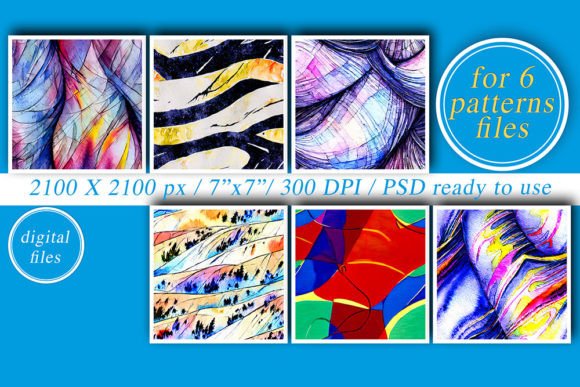
Pattern Selection: While the template includes examples of patterns, these are not included in the download. Users should select patterns that align with their project goals and brand identity. High-quality, scalable patterns will yield the best results.
File Management: Organizing your files properly is essential for maintaining a smooth workflow. Keeping track of different versions and edits helps prevent confusion and ensures that you can easily locate the correct file when needed.
Conclusion
The PSD Product Images Template - 6 Patterns is more than just a design tool—it's a comprehensive solution for anyone looking to create professional, customizable product images. By combining high-resolution graphics, smart object layers, and user-friendly features, this template empowers designers to streamline their workflow and deliver exceptional results. Whether you're working on a commercial project or exploring your creative potential, this resource offers the flexibility and functionality needed to succeed in today's competitive design landscape.